



WordPress Perplexity Plugin: Analyze with Perplexity
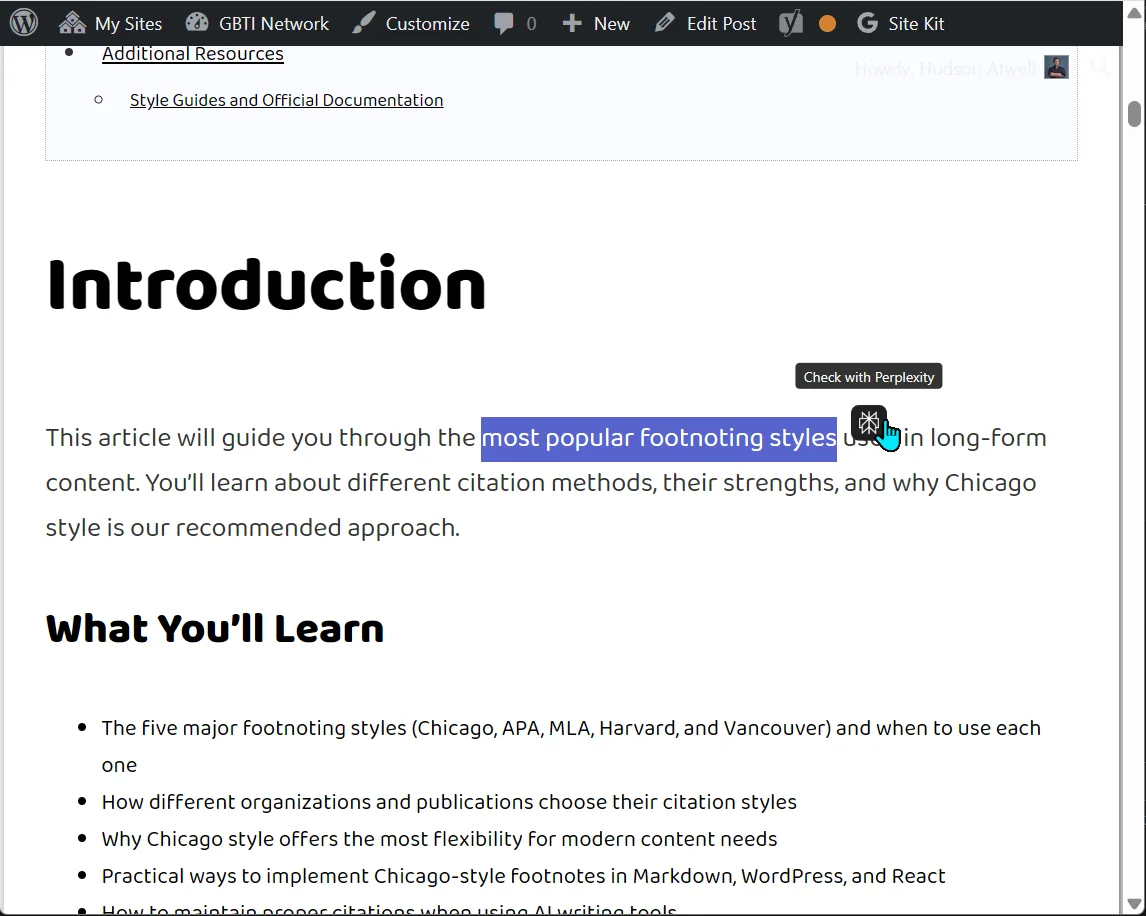
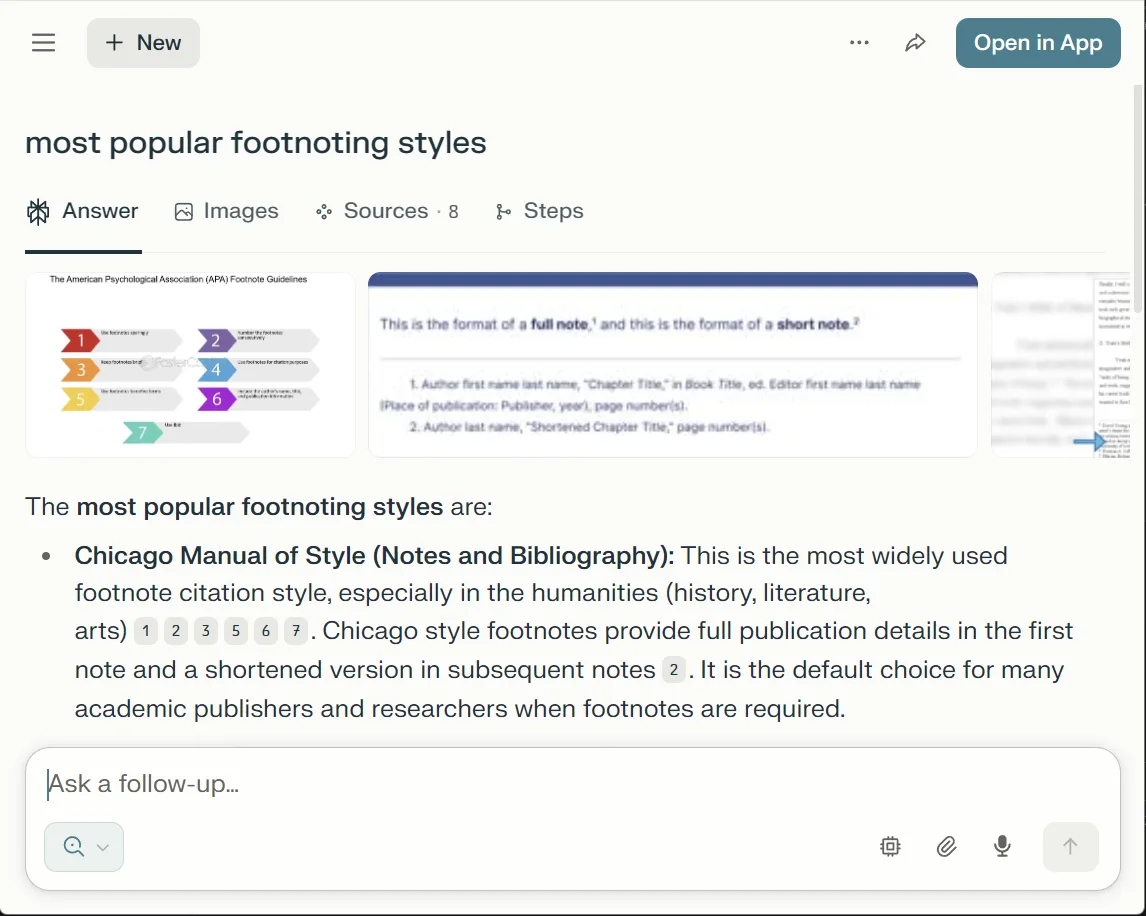
Perplexity Text Analyzer is a WordPress plugin that seamlessly integrates AI-powered content analysis into your website. When visitors select text on your WordPress posts, a sleek floating button appears, allowing them to instantly analyze the selected content using Perplexity AI’s advanced language models. This creates an interactive reading experience that encourages deeper engagement with your content.
The plugin features a modern, modular JavaScript architecture that ensures smooth performance across all devices. With smart positioning that adapts to viewport boundaries and touch-friendly mobile support, your visitors can explore content insights whether they’re on desktop or mobile devices. The plugin works universally across different WordPress environments, from standard plugin installations to must-use plugins, child themes, or parent themes.
We built this to:
Enable content creators to offer their readers instant AI-powered insights without leaving the webpage. By integrating Perplexity AI’s analytical capabilities directly into the reading experience, we’re bridging the gap between static content and dynamic understanding. This tool empowers readers to fact-check claims, explore concepts deeper, and gain additional context on-demand.
Features
- Smart Text Selection Detection: Automatically appears when users select text (minimum 3 characters)
- Perplexity AI Integration: One-click access to AI-powered analysis of selected content
- Universal Deployment: Works in plugins folder, mu-plugins, child themes, or parent themes
- Modern ES6 Architecture: Modular JavaScript with dynamic imports and version-based cache busting
- Intelligent Positioning: Top-right placement with viewport boundary detection
- Mobile Responsive: Touch event support with adaptive positioning for all screen sizes
- Customizable Appearance: Configurable icon size, border radius, and positioning offsets
- Debug Mode: Console logging for development and troubleshooting
- Performance Optimized: Lazy loading, event delegation, and efficient DOM manipulation
- Cross-Platform Compatible: Handles Windows/Unix path differences automatically
Setup Instructions
- Upload the plugin folder to your WordPress installation (plugins, mu-plugins, or theme directory)
- Activate the plugin through WordPress admin (if using standard plugins folder)
- Configure settings by editing the PHP class variables if needed
- The plugin automatically works on all single post pages
Usage Instructions
Simply select any text on a WordPress post, and the Perplexity icon will appear at the top-right of your selection. Click the icon to analyze the selected text with Perplexity AI in a new tab. The plugin respects character limits and provides visual feedback for optimal user experience.
From the author
atwellpubWe built the Perplexity Plugin to give your readers instant AI-powered insights without leaving your WordPress posts. When someone highlights text, they get a floating button to analyze it with Perplexity AI. It is a small thing that turns reading into exploration. Whether your visitors are on mobile or desktop, the plugin handles it seamlessly. This one is for content creators who want their audience to go deeper with what they are reading.
0 Comments
No comments yet. Be the first. Members comment from the GBTI local client, where comments are submitted as pull requests and auto-published for paid members.
Become a memberMembers write comments from the GBTI client or browser extension. Become a member to join the conversation.
You are signed in as a member. .